


Does the 2026 Hyundai Elantra include Hyundai Digital Key 2 Touch for drivers near Rolling Meadows, IL?
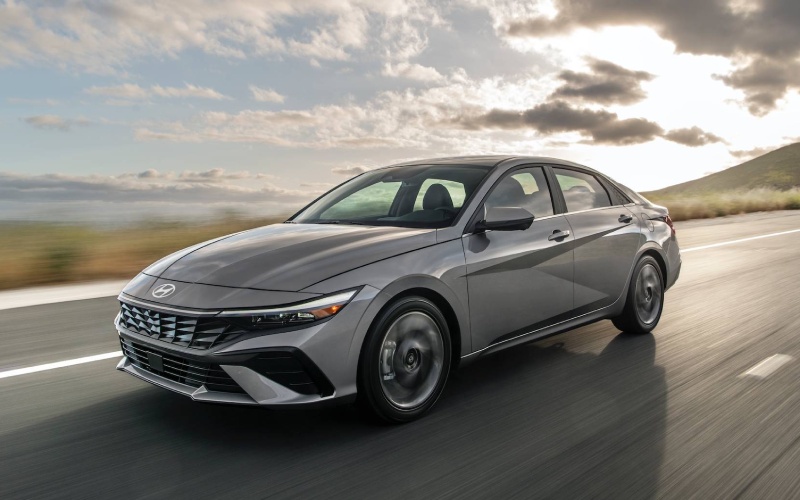
Patrick Hyundai – Does the 2026 Hyundai Elantra include Hyundai Digital Key 2 Touch for drivers near Rolling Meadows, IL?
Digital convenience has changed how we enter homes, manage finances, and share access—so it makes sense that your car key should live on your phone, too. For shoppers evaluating the 2026 Elantra, one question stands out: Does Hyundai Digital Key 2 Touch come with this sedan, and how does it actually work day to day in a Northwest Suburban routine around Rolling Meadows, IL?
Here’s the straightforward answer: Hyundai Digital Key 2 Touch is available on the 2026 Elantra, and when equipped, your compatible smartphone can unlock the doors, start the car, and even share access with family or trusted friends. It integrates with native wallet apps like Apple Wallet®, Google Wallet, or Samsung Pass, which means it feels familiar from the first tap. For households where schedules overlap, a shared digital key can simplify mornings and reduce key-fob juggling—especially when street parking, school pickups, or gym visits all intersect across different drivers.
Set-up is designed to be approachable. When the vehicle is equipped, pairing your phone is a guided process that walks you through adding the key to your device’s wallet and confirming secure access. If you also use the MyHyundai with Bluelink app, you can manage additional remote functions—like lock/unlock or remote start—from your smartphone. And because original owners and lessees can get Bluelink+ included with no monthly fees on new Bluelink-equipped Hyundai models, you can take advantage of connected features without worrying about a separate subscription.
- Compatibility check: Confirm your smartphone supports Apple Wallet®, Google Wallet, or Samsung Pass and meets Hyundai’s compatibility guidelines.
- Initial pairing: Follow the on-screen steps in the vehicle and on your phone to add your key to the device’s wallet app.
- Secondary users: Share a digital key with family or trusted friends, then customize access based on who will drive and when.
- Everyday use: Approach the Elantra with your phone, unlock, start, and go—no fumbling for a fob when hands are full.
- Backup plan: Keep your physical key in a safe, accessible place for those rare just-in-case moments.
For Rolling Meadows commuters who split highway time with quick local errands, this system cuts friction at both ends of the day. It is particularly helpful when two drivers alternate—say, one handles an early office run while the other manages drop-offs and afternoon activities. A securely shared key lets you keep moving without a handoff meeting in a parking lot.
Frequently Asked Questions:
Which 2026 Elantra trims offer Hyundai Digital Key 2 Touch?
Hyundai Digital Key 2 Touch is available on select trims and is standard on Limited. If you are considering SEL Sport Premium or Limited, ask us to verify equipment on specific vehicles you are viewing so you can be sure the feature is included.
Can I share the Hyundai Digital Key 2 Touch with multiple drivers?
Yes. You can share a digital key with other trusted users, such as household members or friends, by sending it from your phone. Each driver should have a compatible device with a supported wallet app, and you can manage or revoke access when needed.
What happens if my phone battery dies or I lose my device?
We recommend keeping your physical key in a known location as a backup. If your phone battery dies, you can use the physical key to unlock and start the vehicle. For a lost device, use your phone’s security tools (such as Find My or similar) to disable wallet access and let us help re-establish secure access on a new device.
How does Digital Key work with Bluelink+ and remote features?
Digital Key 2 Touch handles phone-as-key functions like unlocking and starting. The MyHyundai with Bluelink app can add remote services—like lock/unlock or remote start—accessible from your smartphone. Better yet, original owners and lessees can get Bluelink+ included with no monthly fees when purchasing or leasing a new Bluelink-equipped Hyundai model.
If you commute along Algonquin Road, swing out to Woodfield, or coordinate activities across nearby communities, Hyundai Digital Key 2 Touch helps keep your day moving without the extra fob. The feature pairs naturally with other Elantra technology—like available dual 10.25-inch displays, wireless device charging, and Hyundai SmartSense safety—creating a driving experience that feels organized, secure, and modern.
Ready to try it yourself? We will walk you through setup and show you how to share a key, then tailor a test-drive route to your routine. You will see how the feature set comes together in real time—unlock, start, drive, park, and hand off, all from your phone. It is a small change that quickly becomes second nature, especially for multi-driver households.
For personal guidance and a hands-on demo, reach out to our team at Patrick Hyundai—serving Mount Prospect, Rolling Meadows, and Crystal Lake. We will confirm availability on the exact vehicle you are considering and cover best practices for daily use and device security. From there, you can decide whether Digital Key 2 Touch is the right fit for your lifestyle and your next sedan.

0 comment(s) so far on Does the 2026 Hyundai Elantra include Hyundai Digital Key 2 Touch for drivers near Rolling Meadows, IL?